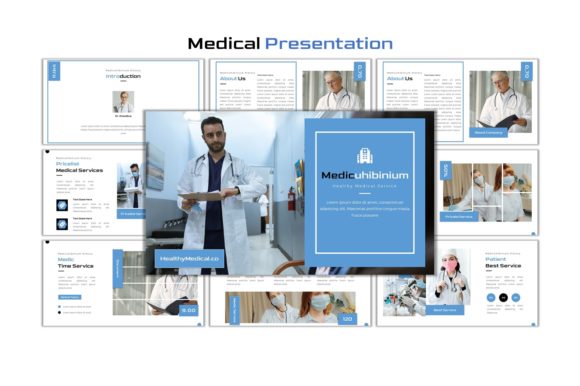
Medicuhibinium: A Clean Medical PowerPoint for Any Project
Let's be honest: most PowerPoint templates feel either overly sterile or unnecessarily complex. You open them, and you're met with a rigid grid, uninspired colors, and a vague sense that you're starting from scratch anyway. The Medicuhibinium - Medical PowerPoint template takes a different approach. It’s built for clarity and ease, designed to let you focus on your content rather than fighting the software. Whether you're preparing a clinic's patient education materials, a startup's investor pitch, or a personal project for a community workshop, this template provides a professional foundation that's genuinely adaptable.
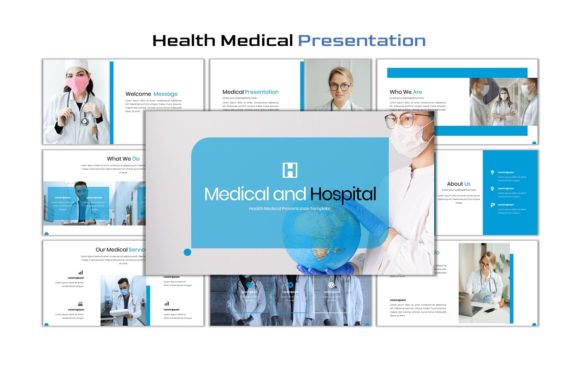
At its core, Medicuhibinium is about clean visual communication. The design language uses a balanced mix of ample white space, subtle color accents, and structured layouts. It doesn't shout; it guides. The 30 unique slides offer a variety of arrangements—from text-heavy explanations to image-focused showcases and data-driven infographics. The overall personality is one of confident professionalism. It feels modern without being trendy, which means it won't look dated in six months. This makes it a versatile design asset for anyone who needs to present information clearly and persuasively, not just medical professionals.
Where This Template Truly Shines
Think beyond the hospital. While its name suggests a medical focus, the Medicuhibinium - Medical PowerPoint template is a multipurpose workhorse. Its clean aesthetic is perfect for:
- Business & Marketing: Create polished sales decks, company overviews, or marketing strategy presentations. The structured layouts help maintain a logical flow for your arguments.
- Education & Training: Develop engaging workshops, online course materials, or internal training manuals. The inclusion of infographics and mockup slides makes complex information digestible.
- Freelancers & Agencies: Present project proposals, client reports, or portfolio showcases. A consistent, professional look builds trust and reinforces your brand identity.
- Personal Projects: Organize a compelling presentation for a community group, a family event, or a hobbyist club. The ease of use means you don't need to be a design expert.
The key is its editability. Every single element—graphics, colors, fonts—is fully editable within PowerPoint itself. You don't need to open Illustrator or Photoshop. Just click, change, and go. This practicality is a huge advantage for busy entrepreneurs and content creators who value their time.
Practical Guidance for Getting the Most Out of It
Adopting a new template is more than just swapping out text. Here’s how to evaluate and use Medicuhibinium - Medical PowerPoint effectively for your projects.
Evaluating Fit for Your Brand
Before you dive in, consider your project's voice. The template's modern, clean style works brilliantly for brands that value clarity, trustworthiness, and efficiency. It's less suited for projects requiring a highly whimsical, ornate, or grunge aesthetic. Test it by placing your logo and primary brand colors into a few slides. Does it feel harmonious or forced? The template's neutral backdrop should support your brand identity, not compete with it.
Mastering the Editable Features
The true power lies in the included assets. The 2000+ icons and placeholder-ready photo frames are game-changers. Don't just use the default images. The template notes that photos from Pexels and Unsplash are included, but you should absolutely drag and drop your own images into the placeholders. This is where your presentation becomes uniquely yours. Play with the color scheme; the template makes it simple to apply a new palette across all slides consistently.
Font Pairing and Readability
The template includes two premium fonts: Goldman and Montserrat. Goldman is a serif font with a classic, authoritative feel, ideal for headings and key statements. Montserrat is a clean, geometric sans serif font that excels in body text for its excellent readability on screens. This is a classic, effective font pairing. However, the template allows you to change them. If your brand uses different typefaces, swap them in. The rule of thumb is to maintain high contrast between heading and body fonts for clear visual hierarchy.
Considering the Commercial License
This is a crucial point for entrepreneurs and small business owners. The template is provided as a commercial asset. This means you can use it in projects for clients, in paid presentations, and for commercial purposes without worrying about licensing issues. It’s a commercial font and template package, designed for professional use. Always double-check the final license terms included with your download, but this framework is built for business.
A Final Note on Presentation Design
A great template does one thing exceptionally well: it gets out of your way. The Medicuhibinium - Medical PowerPoint template achieves this by offering a robust, flexible, and professional starting point. It understands that your content is the hero. By providing clean modern typography, intuitive placeholders, and a wealth of design assets, it empowers you to create presentations that look polished and communicate effectively. Whether you're crafting a critical business proposal or a simple personal project, having a reliable foundation like this can transform the process from a chore into a creative, confident endeavor. Cheers to presenting your ideas to the world.